
The Batch Processing feature in TOPS Pro (enhanced version) is the perfect solution for users that are looking to process large amounts of SKU data for one off or ad hoc projects.
Users can upload a CSV file containing multiple SKUs and TOPS Pro will create optimised unit loads, while adhering to your company specifications.
STEP 1
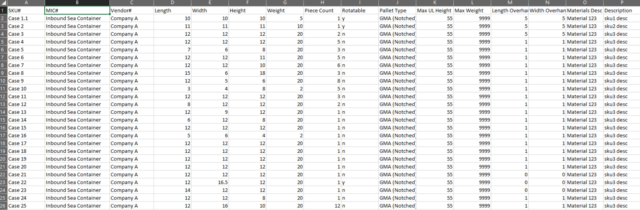
Upload your SKU data (using the appropriate columns/schema from the generic Batch template provided), save the file as a CSV file format and then upload to TOPS Pro using the Import>Import Batch File feature in the main menu.

STEP 2
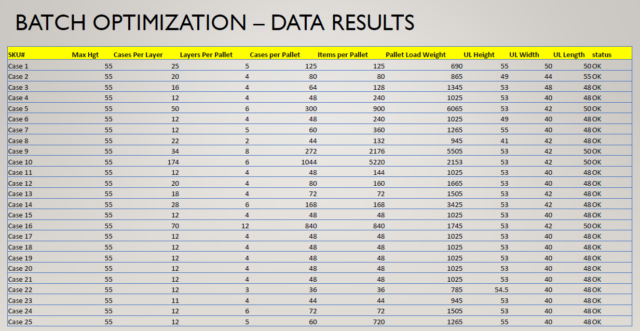
The “Batch_OUT.csv” file will be exported to the same file location as the “IN” template. Any PDF files configured (in Supervisor>Launch Config.exe) will also appear.
Relevant data reported includes: Cases per layer, Layers/load, Total number of shippers, dimensions, pallets utilised, etc. You can also adjust reports, optimization parameters, or re run the analysis to select other patterns.

For more information about Batch Processing in TOPS pro contact info@autologic-systems.co.uk.