
TOPS Pro v7.0 has been announced. New features in the update include: an improved and refreshed user interface, an EPR (Extended Producer Responsibility) report for sustainability goals, new box styles, STFI paper support and other enhanced graphics and reporting features.
Here’s a quick overview of some of the key new features:
Updated User Interface and New Screen View
 An improved user interface and tri fix view screen with three sections shows designs for all stages. The updated interface also includes new tool buttons and texts on the toolbar, new tool buttons in the 3D view pane, solution listings in alternate highlights, tab dialogs to define parameters at each stage, regular/bold dialog fonts and light/dark theme options.
Export TOPS Reports to MS Office
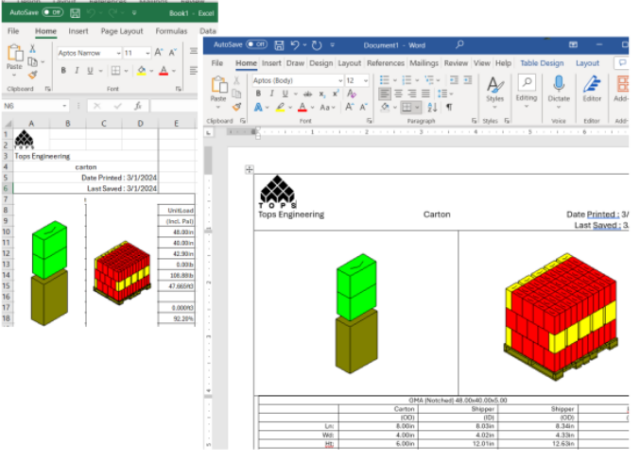 TOPS reports can now be sent directly to MS Word and MS Excel from print preview for more flexibility in formatting. Go to File>Print Preview>Analysis. Once the report appears, click on ToWord or ToExcel button to send the report to the corresponding applications.
Box Rotation
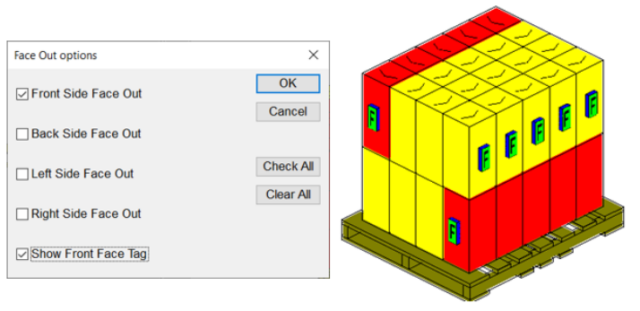 There’s a new function to rotate boxes on the unit enabling you to select the direction (front, left, right, back or any combination) with the additional option to Show Front Face Tag. In the Unitload view, click the ‘Face Out’ button at the bottom of the toolbar.
Horizontal Straps for Unitloads
Straps around the load can now go around the entire load including the girth. Under Unitload parameters, click the Options button or go to the Unitload Options tab (if tab view is enabled) to add horizontal straps.
Custom Images in Reports
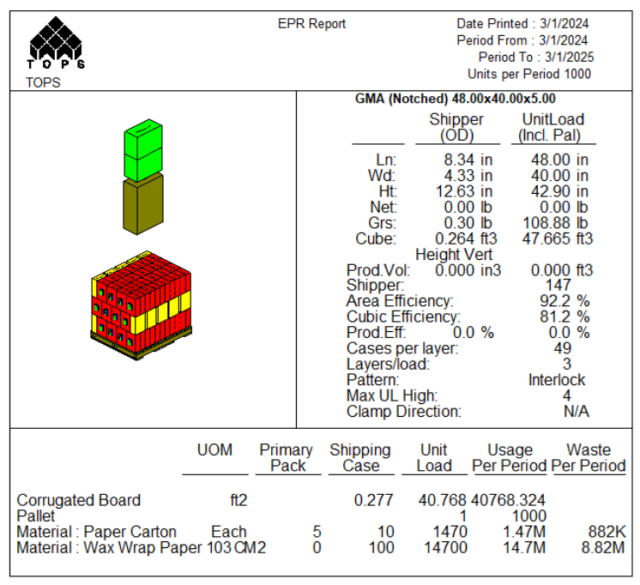 Incorporate custom images to provide more details for the package specifications.
Go to File>Print Preview>Analysis. Click on Custom Images and select up to 7 graphics in the report. Specify the area for the image and click OK to preview.
Enhanced Show Contents Feature
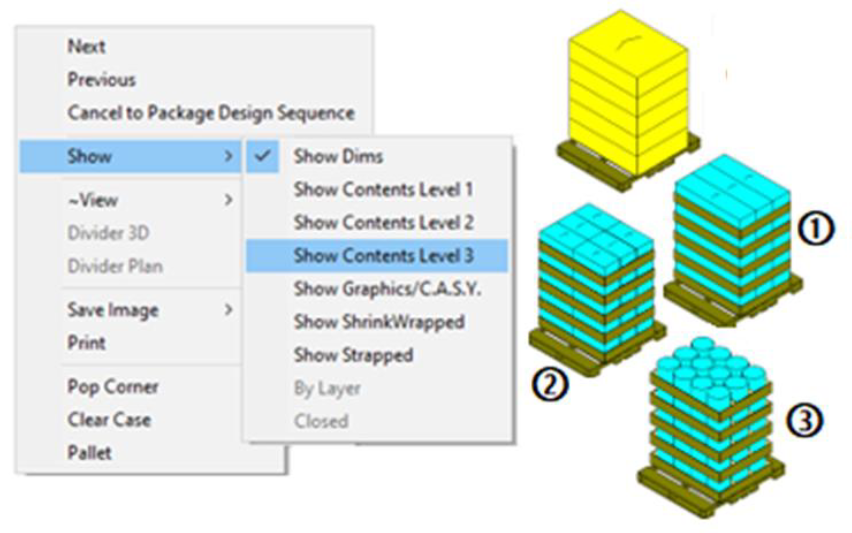
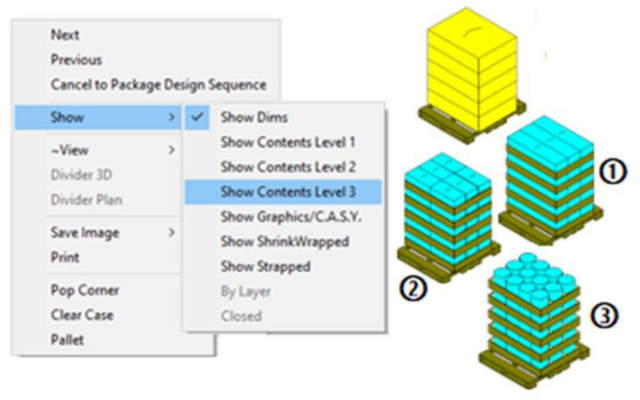 Show contents in solution windows have been expanded with better user control at each stage of analysis. For example, user can specify the level of details of the unitload contents, in shipcase level ①, intermediate Pack level ②, or bundle level ③.
For a complete list and a demo of any of the new features, email us at info@autologic-systems.co.uk.